Priority ERP

Reports and automations for businesses that run Priority

I'm Ofir Talbi, a business automation developer. I pull your data out of Priority and turn it into reports, work orders and status boards, so nobody has to copy it into Excel again.

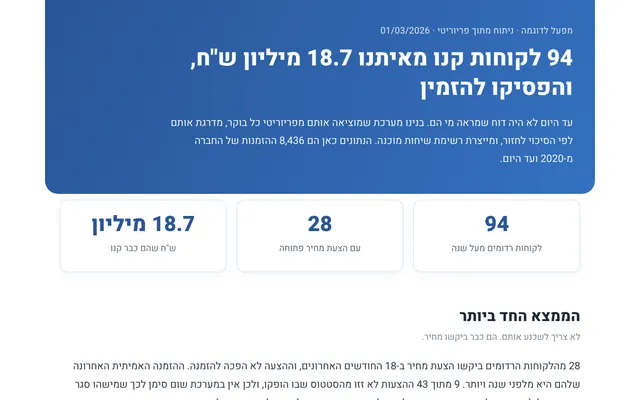
From a system I built for a manufacturing plant that runs Priority. Demo data.

Sound familiar?

If any of these happen in your business, it can probably move from people's hands to the computer:

  • A report rebuilt in Excel every week
  • Orders typed in again somewhere else
  • Production documents prepared by hand
  • Open quotes that get forgotten
  • No clear view of what is ready and what is stuck

What I build on top of Priority

Priority stays your main system. I build what you are missing around it, day to day.

  • Custom reports from your data

    Pulling orders, customers and quotes, and a report that answers exactly the question your business asks.

  • Documents generated from the order

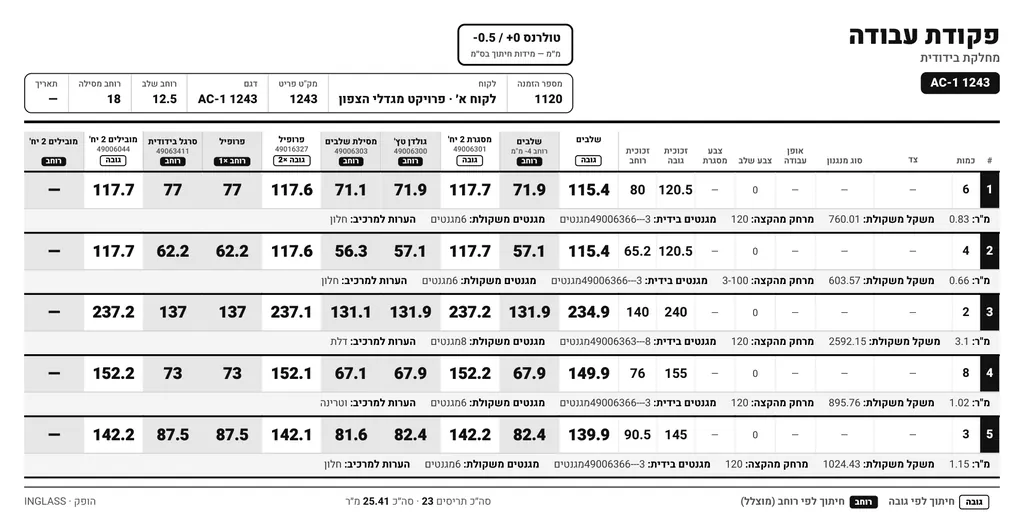
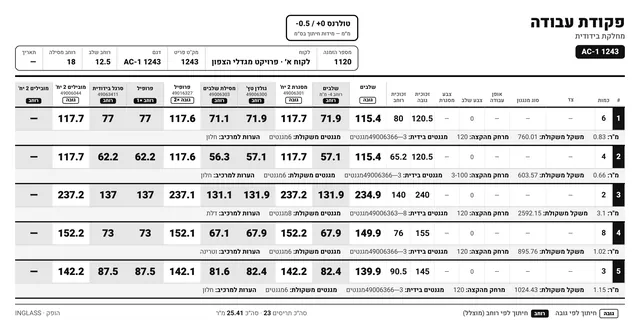
    Work orders and production documents produced from the data in Priority, without typing them in again.

  • Status boards and dashboards

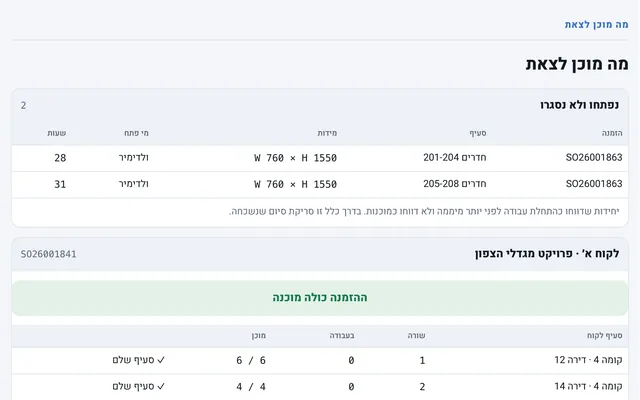
    An up-to-date picture of open orders, from your data and production reports: what is ready, what is in progress and what is stuck.

  • Excel and VBA connected to the data

    When part of the work already lives in Excel, the workbook gets the data instead of someone typing it.

  • Connections to other tools

    Through the API, data from Priority can reach the other tools your business uses.

  • Reports that arrive by themselves

    A weekly or daily report that is produced and sent to the right people, without anyone remembering to run it.

Real work with Priority

Systems I built at a glass and blinds manufacturing plant that runs Priority, where I managed operations. Screenshots show demo data.

What they said about the report

Ofir's report showed us clearly which customers had stopped ordering, who still held an open quote, and how much money was on the table. Sales suddenly had a clear order of priorities.

WilliamCFO, INGLASS

How we start

  1. A short call

    You tell me which report or process takes up your time, and I tell you honestly whether and how I can help.

  2. Looking at the data

    We check together where the data sits in Priority and how to access it properly.

  3. A first phase with a clear price

    A small, well-defined phase, with the price and timeline known up front.

  4. Delivery and support

    A proper handover, a walkthrough for the people using it, and support after it is up and running.

Questions

Do you implement Priority?

No. I don't implement the system or replace whoever supports you with it. I build reports, documents and automations on top of the data that is already in Priority.

Do we need to change anything in the system?

Not necessarily. First we check what already exists and how the data can be accessed, and only then decide what to build.

How much does it cost?

It depends on the report or process. On the first call we'll get the picture, and I'll give you a proposal with a clear price and timeline.

Can you work remotely?

Yes. I work with businesses across Israel and abroad, remotely or on-site.

Which Priority report or process takes up your time?

Tell me in a few words, and I'll get back to you with a suggested first phase.

Prefer to talk directly?

For example: a weekly report of open orders by customer, which today is built by hand in Excel.